Malicious Claude Code Extension in Cursor: How to Protect Your Development Environment

By Youssef Salem HassanLead Software Engineer · LinkedIn
Learn what happened with Anthropic.claude-code 2.1.312 and 2.1.313 in Cursor’s marketplace, how to contain an affected host, and how to secure AI coding tools.
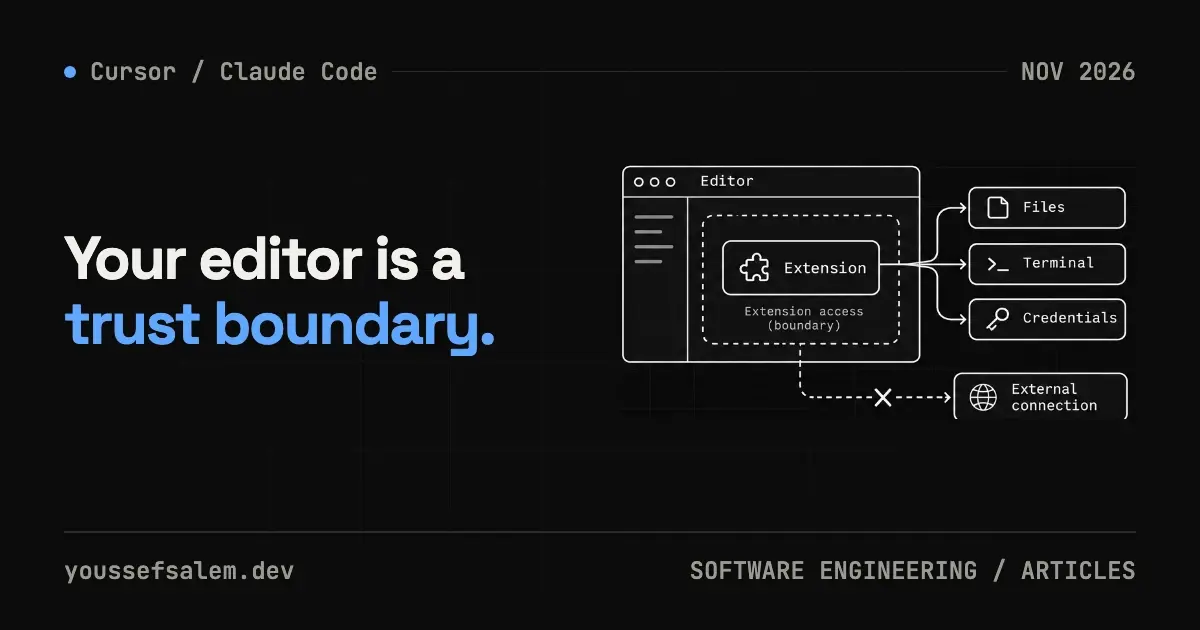
On October 29, 2026, Cursor disclosed malicious 2.1.312 and 2.1.313 builds (Windows and macOS) of a package named Anthropic.claude-code in its extension marketplace. Cursor said the package was not developed by Anthropic and was available between about 2:27 a.m. and 1:35 p.m. PT; press reports put the number of affected users at up to 5,000. The important lesson is larger than one product name. Editor extensions often run on machines that hold source code, Git credentials, environment files, cloud sessions, and release keys.
This guide separates confirmed incident facts from a practical containment and prevention plan for freelancers and product teams using AI coding tools. Incident details come from Cursor’s notice. The operating policy below is engineering analysis, not a feature announced by Cursor or Anthropic.
What happened?
According to Cursor, the modified package was available in the Cursor VS Code extension marketplace from about 2:27 a.m. to 1:35 p.m. Pacific Time on October 29. Its code collected host and user information, including hostname, operating system, architecture, working directories, configured Git email, and public IP, then attempted to report host and backdoor status to attacker infrastructure.
It also tried to add an unauthorized SSH key to authorized_keys, enable the local SSH service, open a reverse SSH tunnel, and persist on macOS, Windows or Linux. Background scripts retried the tunnel about every 60 seconds. Cursor noted that enabling SSH would usually fail without administrator privileges and that the malicious code contained errors. That does not make the host clean: the key, persistence files, and information collection could still be present.
Cursor removed and blocked the build, temporarily shut down its marketplace, audited other extensions, rebuilt the marketplace, rotated keys, and helped take the attacker’s server offline. It reported no evidence that other versions or Anthropic’s official distribution were affected. The incident therefore concerns this specific marketplace package; it is not evidence that official Claude Code was compromised.
Is uninstalling the extension enough?
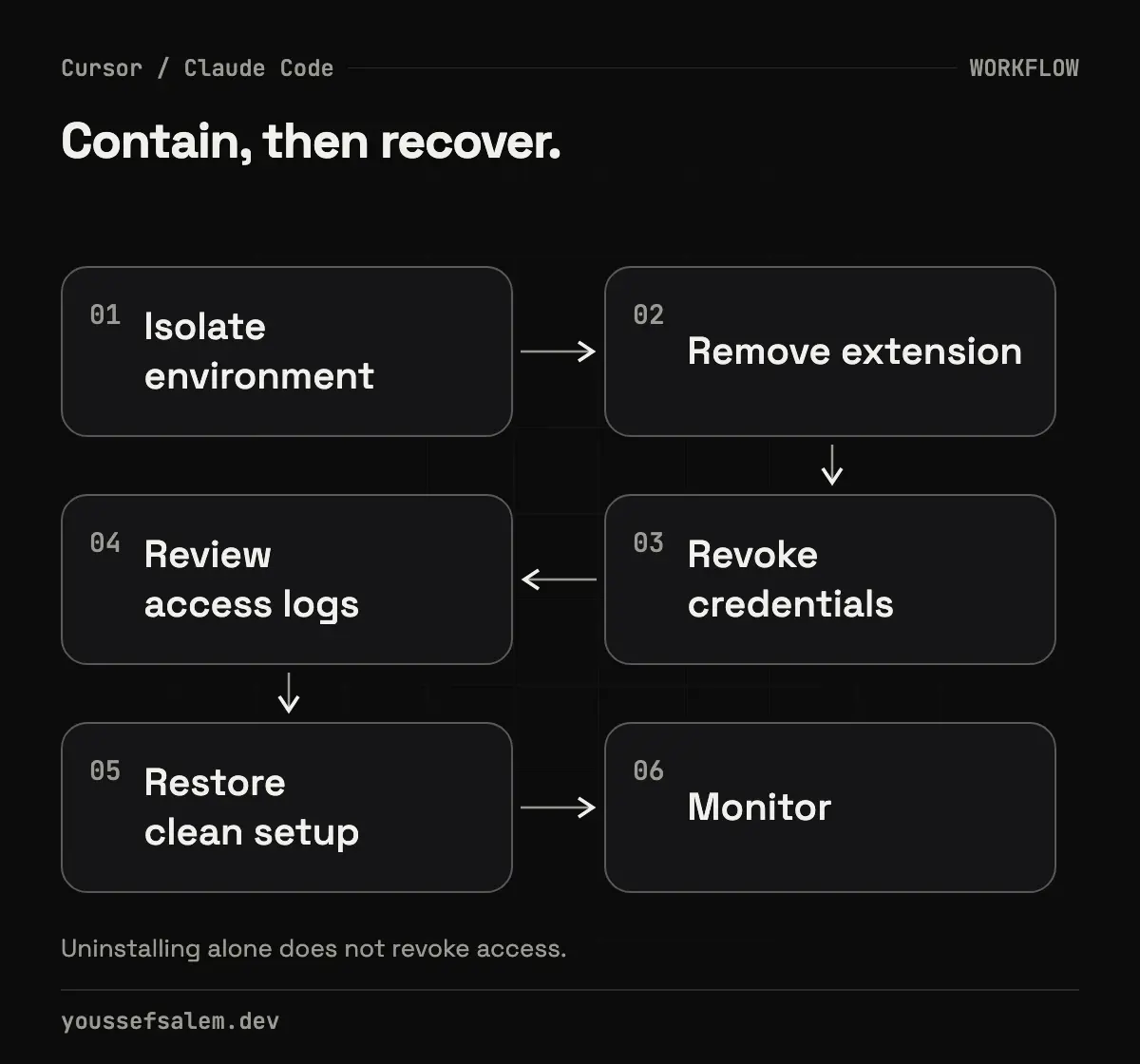
No. Cursor explicitly warns that uninstalling may not be sufficient because the payload drops standalone persistence scripts. If you installed or updated 2.1.312 or 2.1.313 from Cursor’s marketplace during the published window, treat the machine as potentially compromised rather than merely removing a bad plugin.
A practical response order is:
- Isolate the host from sensitive networks and stop using it for production access.
- Use Cursor’s published checks and remediation scripts, following your organization’s incident process.
- Search the published indicators, including the svc-telemetry SSH-key comment, persistence files, scheduled tasks, and network indicators.
- Remove unauthorized keys, persistence, and tunnel processes, then decide whether the host should be rebuilt.
- Rotate credentials and sessions accessible from the host, doing so from a trusted machine.
- Review Git, cloud, and CI/CD audit logs for unusual activity during the relevant period.
Do not copy remediation commands from an unverified social post. Cursor’s notice contains the current indicators and scripts and should remain the starting point as the investigation develops.
Why AI coding extensions are a high-value attack surface
A conventional editor extension may read and modify files. Depending on its configuration, a coding agent can also run terminal commands, install packages, inspect multiple repositories, and call MCP tools or external services. Model quality is therefore only one part of the decision. Distribution, permissions, identity, and installation provenance matter just as much.
For an independent product engineer, one workstation may hold multiple clients’ code, store accounts, Firebase access, GitHub tokens, and .env files. One successful compromise can cross project boundaries. This does not mean agents are inherently unsafe. It means their privileges should match the task and the environment should assume that a tool can fail or be replaced upstream.
A practical installation policy for AI tools
1. Install through a verifiable official channel
Confirm the publisher and follow the link from official documentation; do not rely on a familiar name or download count alone. Anthropic’s official Claude Code extension is listed in the Visual Studio Marketplace as anthropic.claude-code, and Anthropic documents supported installation methods and the claude doctor check. Maintain a short list of approved channels so every team member does not choose a different source.
2. Separate environments by sensitivity
Do not give an agent automatic production access. Prefer a limited development account, short-lived secrets, and separate Firebase projects for development, staging, and production. If the task concerns one repository, do not start the tool from a parent directory that contains every client repository.
3. Review extension updates like dependencies
Automatic updates are convenient, but they replace trusted code on the workstation. A small team can use a scheduled update window: record the version, read its notes, update a lower-sensitivity machine first, and expand after verification. Urgent security fixes should still be applied promptly; the point is to make change visible and reversible, not to freeze software.
4. Monitor behavior, not only package identity
Define what processes, files, and network destinations an extension should normally use. Starting an SSH service or creating a scheduled task is not expected behavior for a coding assistant in most environments. Endpoint security and centralized logging help, but an individual developer can still review startup entries, SSH keys, and outbound connections regularly.
5. Prepare recovery before an incident
Keep an inventory of credentials and sessions available on each workstation, with an owner and rotation procedure for every item. Separate client repositories, enable multi-factor authentication, and restrict access to release credentials. During an incident, this inventory replaces guesswork with a concrete rotation plan.
A Flutter and Firebase checklist
For a Flutter product, review Android signing keys, iOS certificates and profiles, distribution tokens, and Firebase configuration. google-services.json and GoogleService-Info.plist are not normally server secrets, but their presence is not a reason to expose service-account credentials or Admin SDK keys. Keep real secrets outside the repository and minimize IAM roles.
After a potential compromise, perform checks from a clean environment. Inspect pubspec.lock, CI workflows, Git hooks, build scripts, and shared editor configuration. A clean git status is not proof of a clean host: persistence can live outside the repository.
The durable lesson
The October 29 incident shows that a familiar package name inside an extension marketplace is not sufficient proof of trust. A sound response combines host containment, persistence removal, credential rotation, and log review. Long-term prevention starts with documented distribution channels, least privilege, separated client environments, and an inventory of versions and secrets.
If you are building a Flutter product or running a small engineering team in Riyadh, I can help review your development architecture, environment separation, Firebase access, and release pipeline, turning these principles into controls that fit the product rather than a generic checklist.
Sources
More articles
- Flutter 3.47.8 Security Update: Why Updating the SDK Is Not EnoughUnderstand the Flutter 3.47.8 and Dart 3.13.7 TLS fix, affected platforms, and why Android, Windows, and Linux apps must be rebuilt and shipped again.
- An Urgent Firebase Security Update in Flutter: Fix the Risk Without Breaking the AppA practical workflow for Firebase security updates in Flutter: prove exposure, inspect lockfiles, test native paths, and stage a safe release.
- Migrating Flutter tests from Firebase Test Lab before shutdown: a practical planA practical plan to move Flutter testing from Firebase Test Lab to Developer Device Platform before September 30, 2027, without disrupting CI.