Flutter 3.47.8 Security Update: Why Updating the SDK Is Not Enough

By Youssef Salem HassanLead Software Engineer · LinkedIn
Understand the Flutter 3.47.8 and Dart 3.13.7 TLS fix, affected platforms, and why Android, Windows, and Linux apps must be rebuilt and shipped again.
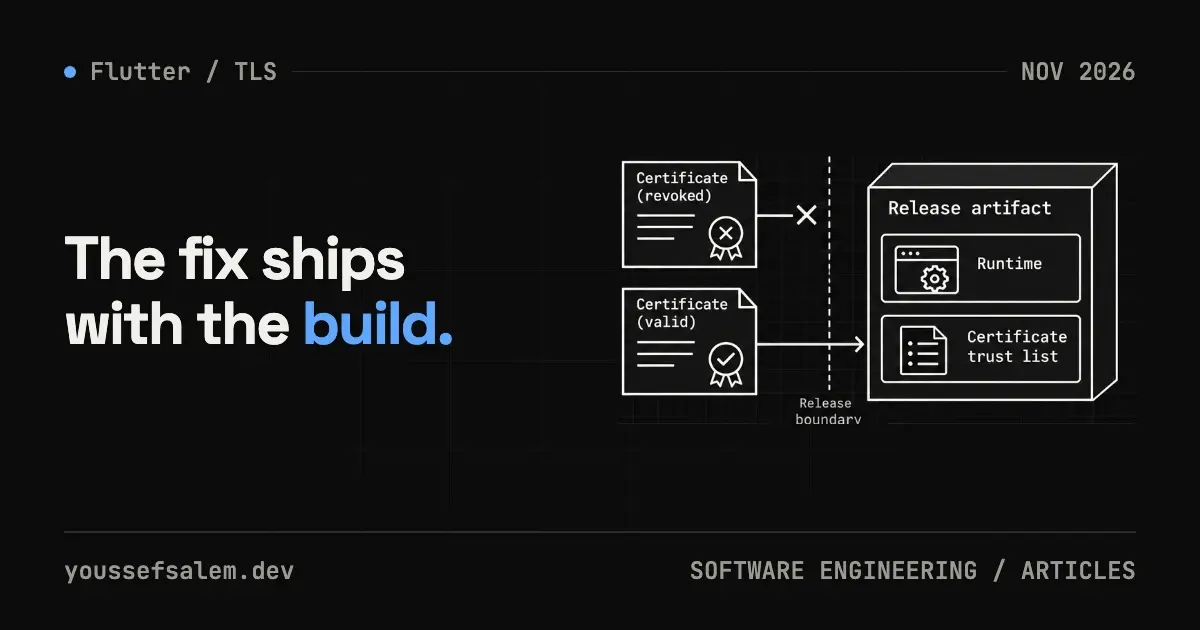
The Dart and Flutter teams released a high-severity security fix after intermediate certificates issued by eMudhra were found to use weak key generation. In the affected scenario, an attacker on the network path could derive private keys, forge a TLS certificate, and intercept HTTPS traffic from an application built with a vulnerable SDK.
The first stable releases that include the fix are Dart 3.13.7 and Flutter 3.47.8; later stable releases such as Flutter 3.47.9 include it too. Running flutter upgrade on a developer laptop, however, does not repair applications already installed on users’ devices. Affected builds must be rebuilt and redistributed. This article explains the scope and gives independent developers and product teams a practical inventory, upgrade, test, and rollout plan.
What happened?
According to the official advisory, eight eMudhra intermediate certificate authority certificates disclosed in October 2026 used keys with weak entropy. This may allow their private keys to be derived and valid-looking certificates to be forged for arbitrary domains. An attacker who controls the network path could then attempt a man-in-the-middle TLS interception.
Exposure depends on the connection path: traffic that goes through dart:io — directly, or through Dio and package:http with their default configuration on affected platforms — is in scope. Traffic through platform-native SDKs (for example, parts of FlutterFire) or a different Dio adapter needs a separate review; using Firebase alone does not prove an app is affected. An app can still be exposed even if its networking layer has not changed for months.
The patch updates BoringSSL inside Dart to distrust the compromised intermediates explicitly. On Android 14 and newer, dart:io now reads system roots from the updatable Conscrypt APEX module, allowing future revocations delivered through Google Play system updates to be honored.
Which platforms and versions are affected?
The official scope for dart:io connections is:
| Platform | Status |
|---|---|
| Android | dart:io connections affected when built with Flutter below 3.47.8 or Dart below 3.13.7 |
| Windows | dart:io connections affected with the same older SDK versions |
| Linux | dart:io connections affected where the system ca-certificates bundle is not updated, such as static containers or unpatched hosts |
| iOS and macOS | Not affected by this advisory because they use Apple’s Security.framework |
| Web | Not affected because the browser validates certificates |
The patched beta versions are Flutter 3.50.0-0.2.pre and Dart 3.14.0-315.3.beta. If production runs on stable, do not move to beta only for this fix; use the patched stable release.
Why upgrading a workstation is insufficient
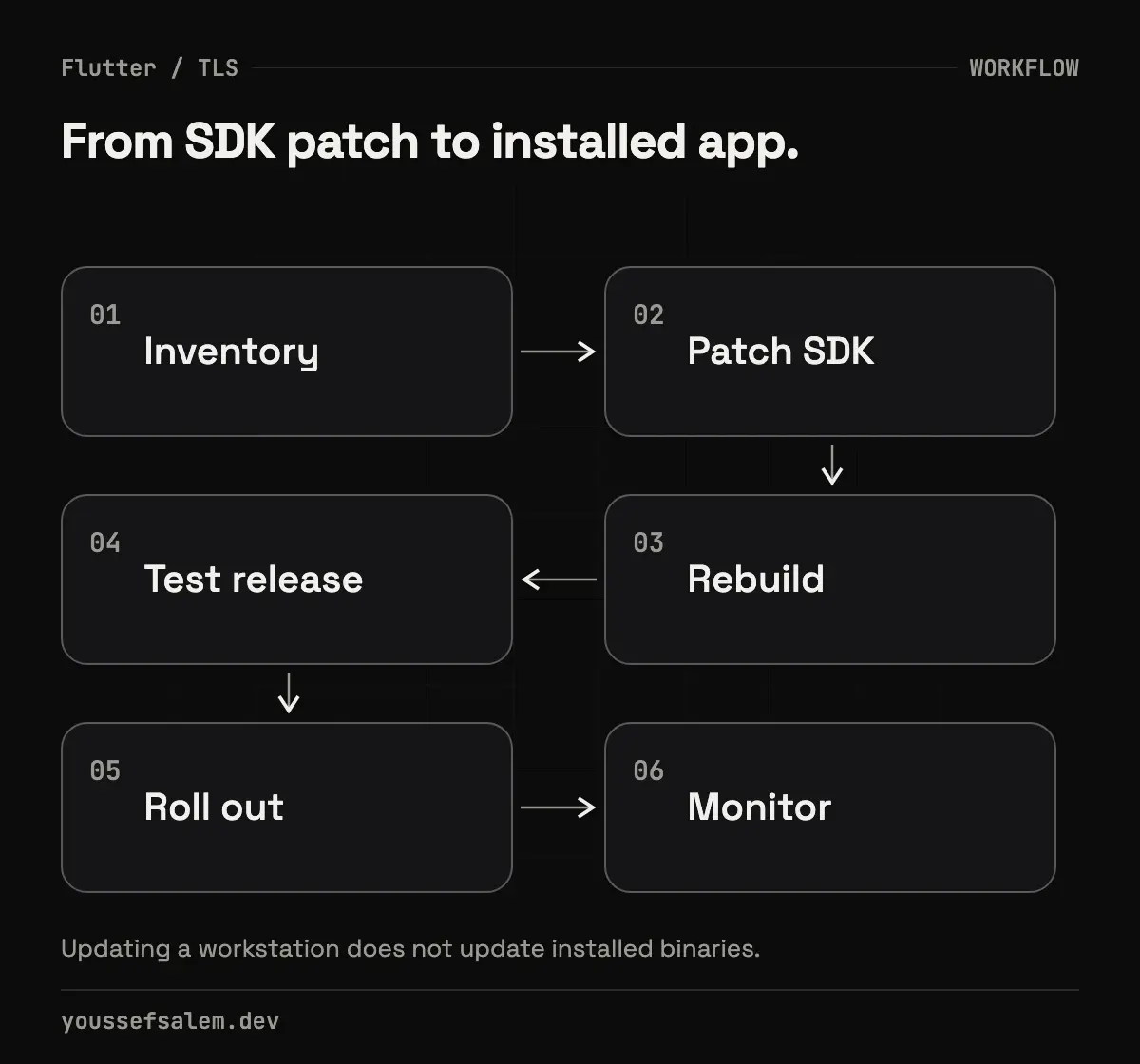
A Flutter application contains runtime and compiled components produced at build time. The binary already downloaded from an app store does not change when you update Flutter locally. Complete remediation therefore requires:
- Identifying affected applications and artifacts.
- Pinning a patched SDK in development and CI.
- Rebuilding instead of merely rerunning tests against an old artifact.
- Testing the new release binary.
- Redistributing it through stores or internal channels.
If you maintain a client application after handover, review the maintenance agreement and security-update responsibility. This advisory needs a release decision, not just a code commit.
A practical response plan
1. Build an application inventory
Start with products shipping to Android, Windows, or Linux. Record:
- the Flutter version pinned by FVM or CI;
- the latest published build number;
- production and internal-testing channels;
- any static Dart/Linux containers;
- the person who can approve and publish the release.
Your current flutter --version is not evidence of the SDK used for a published binary. Check historical CI logs, FVM configuration, Docker images, and retained build metadata.
2. Pin the patched release
For the stable channel:
bashflutter channel stable
flutter upgrade
flutter --version
dart --version
Confirm Flutter is at least 3.47.8 and Dart is at least 3.13.7. If FVM, CI, or a Dockerfile pins the toolchain, update that source as well. Updating one laptop does not update a runner or container image.
3. Keep the change small
Do not combine the security hotfix with a broad dependency upgrade or refactor. A narrow change makes regressions easier to attribute. Capture the baseline:
bashflutter doctor -v
flutter pub deps --style=compact
git status --short
Run flutter pub get after the SDK update and review lockfile changes. Do not delete a lockfile automatically to bypass a conflict; understand why resolution changed.
4. Test the behavior that matters
Start with repository gates:
bashdart format --output=none --set-exit-if-changed .
flutter analyze
flutter test
flutter build appbundle --release
Install the release build on a physical Android device. Exercise authentication, token refresh, file upload, push notifications, payments, and calls to custom backends. A single successful request is not sufficient; the goal is to catch regressions introduced by the SDK or related dependency resolution.
For Windows or Linux, build in an environment close to production. For a Dart container, update both the base image and ca-certificates, then rebuild without relying on a stale cache.
5. Use a staged rollout
On Google Play, begin with internal testing and then a limited production rollout where policy allows. Watch Crashlytics, network-error rates, authentication success, and user feedback. Define a clear expand-or-hold decision.
Do not treat a rollback to the vulnerable binary as the default safety plan. If a regression appears, fix the patched build or reduce its scope while retaining the secure SDK.
Does certificate pinning replace the update?
No. Properly managed pinning can reduce some interception scenarios, but it does not remove the need to patch the runtime. Incorrect pinning can also break an application when the server certificate rotates. Treat it as a separate architectural decision requiring backup keys, rotation, and monitoring—not as a shortcut around the official fix.
Likewise, “we use HTTPS” is not a permanent security proof. HTTPS depends on the trust chain, runtime, operating system, and server configuration.
Clean Architecture cannot isolate a runtime vulnerability
A networking layer may be cleanly hidden behind a repository, but TLS validation happens below it. Architecture helps you test failures and keep UI behavior predictable; it does not prevent a vulnerability in the runtime.
BLoC can expose an actionable error state and retain cached data when connectivity fails, but it does not establish the server’s identity. Security here is shared by the SDK, platform configuration, backend, and release process.
Analysis: the durable lesson
The engineering lesson is that build inputs are part of the product’s security surface. Tracking SDK and CI-image versions is not unnecessary DevOps work. It is how a team answers, “Which published binaries require a rebuild?” quickly.
For an independent developer, the best preparation is a reproducible release: a pinned SDK, documented CI, safely retained signing access, and smoke tests for critical journeys. The next advisory then becomes a known release path rather than an improvised investigation.
Conclusion
If an Android, Windows, or Linux application connects through dart:io (directly, or through Dio or package:http with default settings) and was built with Flutter below 3.47.8, update the build environment to 3.47.8 or later, rebuild, test, and redistribute it. Review connections that go through native SDKs such as Firebase separately. Do not report remediation merely because a developer workstation was upgraded.
Sources
More articles
- An Urgent Firebase Security Update in Flutter: Fix the Risk Without Breaking the AppA practical workflow for Firebase security updates in Flutter: prove exposure, inspect lockfiles, test native paths, and stage a safe release.
- Malicious Claude Code Extension in Cursor: How to Protect Your Development EnvironmentLearn what happened with Anthropic.claude-code 2.1.312 and 2.1.313 in Cursor’s marketplace, how to contain an affected host, and how to secure AI coding tools.
- Migrating Flutter tests from Firebase Test Lab before shutdown: a practical planA practical plan to move Flutter testing from Firebase Test Lab to Developer Device Platform before September 30, 2027, without disrupting CI.