Upgrade to FlutterFire 5.0 Safely: A Production Checklist

By Youssef Salem HassanLead Software Engineer · LinkedIn
Upgrade to FlutterFire 5.0 safely: platform requirements, App Check and Firebase AI changes, plus Auth, Firestore and Messaging tests.
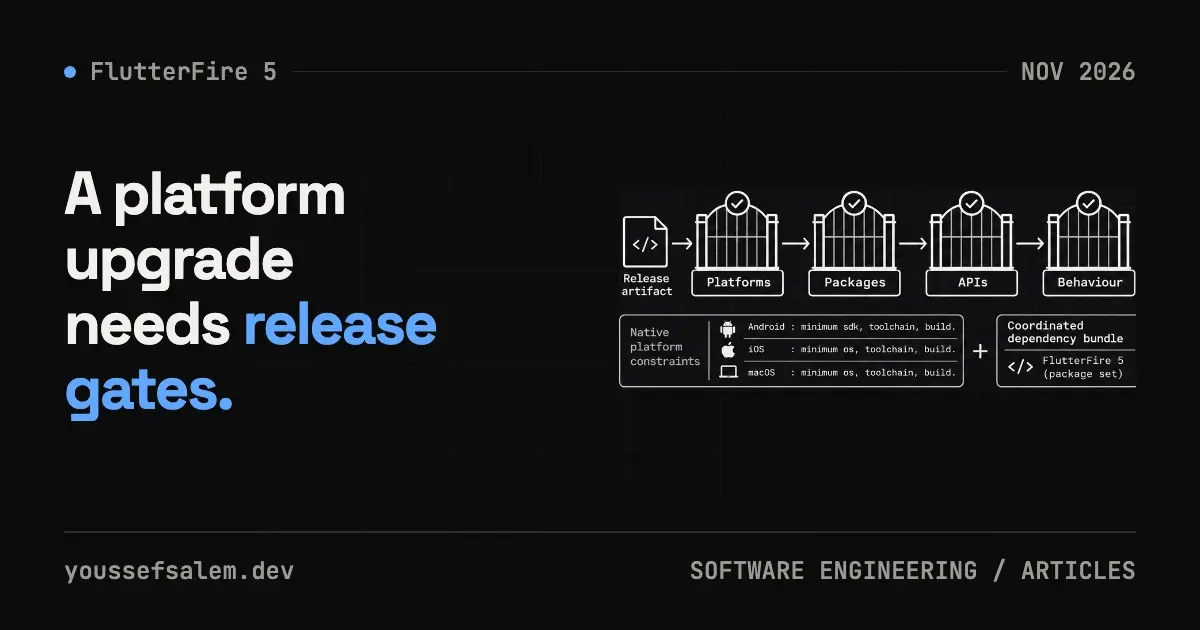
Firebase released Flutter BoM 5.0.0 on October 15, 2026. The label sounds like a single package update, but the release coordinates major versions across most FlutterFire plugins: firebase_core 5, cloud_firestore 7, firebase_auth 7, firebase_messaging 17 and more. The official notes classify a long list of these packages as containing breaking changes.
Treat this as a platform migration, not a quick flutter pub upgrade --major-versions followed by production deployment. Update the Firebase layer on an isolated branch, verify platform requirements, migrate APIs and prove the critical product flows on Android, iOS and web where applicable.
What changed at the platform boundary
firebase_core 5.0.0 and many companion plugins require Dart ^3.6.0 and Flutter >=3.27.0. Some packages, including firebase_auth and firebase_ai, accept Flutter >=3.16.0, but the lowest requirement of one package is irrelevant when the application uses the wider suite.
On Android, plugins built on Firebase Android BoM 35 require minSdk 24. If the application still supports an earlier Android version, this is not just a compile fix. Raising the minimum changes which devices can install the next release, so it needs an explicit product decision.
For Apple platforms, the release uses dual pins: Swift Package Manager resolves Firebase Apple SDK 13.0.0, while CocoaPods stays on 12.19.0. Updating FlutterFire alone does not move every app to SPM. The dependency manager used by the project selects the native version.
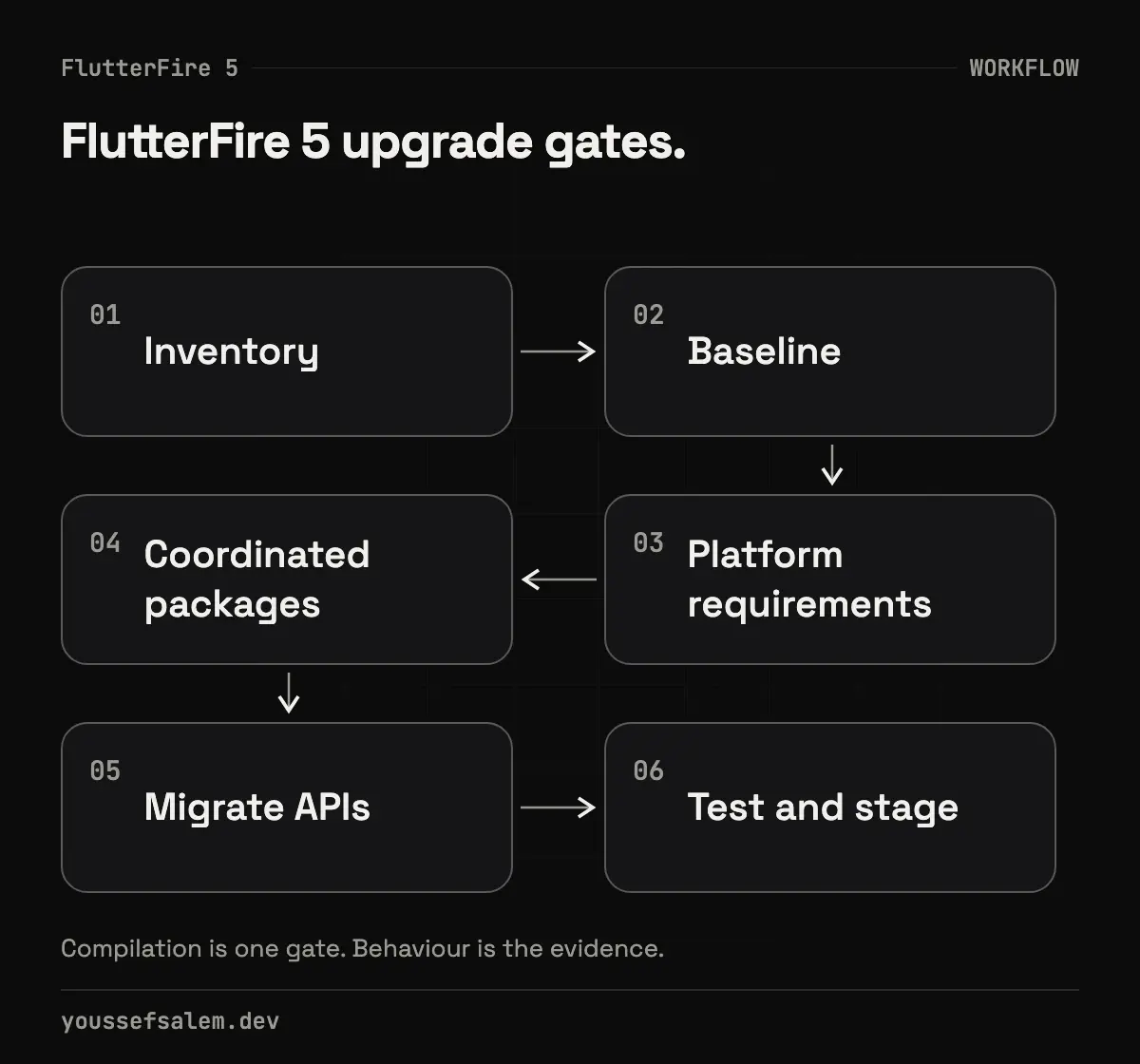
1. Inventory integrations before editing pubspec
Create a small table of every plugin, why it exists and which product flow depends on it:
| Plugin | Critical flow | Required evidence |
|---|---|---|
| firebase_auth | Sign-in and session restore | Sign-in, sign-out, token refresh |
| cloud_firestore | User or order data | Read, write, offline then reconnect |
| firebase_messaging | Notification deep link | Foreground, background, terminated |
| firebase_crashlytics | Production diagnostics | Non-fatal event and test build |
| firebase_app_check | Backend protection | Debug provider and production build |
Also record the current Android minimum, the Apple dependency manager and every platform built in CI. This inventory becomes acceptance criteria. A successful compile does not prove that authentication or notification routing still works.
2. Capture a comparable baseline
Before the upgrade, run the project's real checks on the current dependency set:
bashflutter --version
flutter pub outdated
flutter analyze
flutter test
flutter build appbundle --flavor production
flutter build ipa --flavor production --no-codesign
Remove the flavor arguments if the project does not use flavors. Keep the test results, known build warnings and artifact sizes. That evidence separates pre-existing failures from regressions introduced by the migration.
3. Change platform requirements deliberately
Review android/app/build.gradle or its Kotlin DSL equivalent and raise minSdk to 24 where the selected plugins require it. Then test the oldest Android version that will remain supported, not only a current emulator.
On Apple platforms, establish whether the migration branch uses Swift Package Manager or CocoaPods. FlutterFire 5.0 supports both, but points them at different Firebase Apple SDK versions. Do not remove the Podfile or switch dependency managers in the same pull request unless that migration has its own plan and test evidence. Combining two migrations makes failures harder to attribute.
4. Upgrade FlutterFire as one coordinated set
FlutterFire plugins form a connected release set. Update the constraints you actually use, then run:
bashflutter pub upgrade --major-versions
flutter pub get
flutter pub deps | grep firebase
Inspect pubspec.lock and confirm that platform-interface and web packages resolve consistently. In a multi-package repository, repeat the checks for every package containing Firebase code or shared models.
Keep unrelated upgrades out of this pull request. Updating navigation, state management and generated models alongside FlutterFire expands the review surface and weakens rollback.
5. Migrate the intentional API breaks
App Check
firebase_app_check renamed provider arguments on activate. Code using webProvider, androidProvider or appleProvider must move to providerWeb, providerAndroid and providerApple.
A representative direction is:
dartawait FirebaseAppCheck.instance.activate(
  providerAndroid: const AndroidPlayIntegrityProvider(),
  providerApple: const AppleAppAttestProvider(),
);
Verify the exact provider signatures against the installed package and autocomplete; this snippet shows the migration direction rather than replacing the package reference. Keep debug providers separate from production, and never commit a debug token.
Firebase Data Connect
The auth and appCheck arguments were removed from FirebaseDataConnect and instanceFor. The plugin now resolves both from FirebaseApp. Remove the manual injection while retaining your own wrapper when it provides useful architecture and test seams.
Firebase AI Logic
The release removes deprecated APIs and changes LiveSession.receive() so the stream stays open after an unrecognised server message. If a BLoC currently treats stream closure as the end of a live session, make cancellation and session completion explicit.
ML Model Downloader
firebase_ml_model_downloader is no longer published with FlutterFire. Existing pub.dev versions remain available, but the model download service is scheduled to stop on June 15, 2027. Firebase recommends moving hosted models to Cloud Storage and downloading them with firebase_storage. Add checksum verification and a deliberate cache policy rather than treating a downloaded model as trusted indefinitely.
6. Test behaviour, not only compilation
firebase_messaging 17 includes relevant fixes: Android starts only one background engine when messages arrive in a burst, while iOS delivers the tap on a notification that launched the app in the background. Test all three states:
- The app is open.
- The app is in the background.
- The app is terminated and opened from the notification.
Confirm that each payload opens its destination once and that incomplete data cannot crash navigation. Use a real staging message, not only a mocked unit test.
For Auth, exercise cold-start session restoration, token expiry, sign-out and external identity providers. For Firestore, test transaction timeouts, offline work and reconnection. Send a controlled Crashlytics event from a non-production build and verify that symbols match the release.
7. Keep bootstrap outside the UI layer
In a Clean Architecture codebase, initialise Firebase in a composition root or bootstrap service rather than the first screen. Return an explicit result that BLoC can render:
dartsealed class AppBootstrapResult {}
final class AppReady extends AppBootstrapResult {}
final class RecoverableBootstrapFailure extends AppBootstrapResult {
  RecoverableBootstrapFailure(this.cause);
  final Object cause;
}
The app can then display retry or a limited mode instead of a white screen. This seam also makes App Check and Remote Config failures testable without launching real Firebase services in every unit test.
8. Roll out gradually with a real rollback
Release to internal testing and TestFlight first. Observe sign-in success, notification opens, crash-free sessions, and critical reads and writes. Avoid changing Security Rules, schemas or notification routes in the same release unless the migration genuinely requires it.
If CI supports Android, iOS and web, require all relevant builds before merge. A rollback must restore package constraints, the lockfile and platform settings together. Downgrading only firebase_core can leave an incompatible plugin graph.
Acceptance checklist
- Dart and Flutter meet the selected plugins' requirements.
- The minSdk 24 decision is documented and tested on the oldest supported Android version.
- The Apple dependency manager and native SDK version are known.
- App Check, Data Connect and Firebase AI call sites are migrated where used.
- Auth, Firestore, Messaging and Crashlytics receive behavioural tests.
- Staging passes before production rollout.
- A complete, understood rollback commit exists.
The practical takeaway
FlutterFire 5.0 is not a cosmetic version bump. It brings useful messaging, authentication and diagnostic fixes, but it also raises platform requirements and removes old APIs. A safe migration starts with a product inventory, stays on a narrow branch, tests every integration and rolls out gradually with a credible rollback.
If your Flutter application depends on Firebase for authentication, notifications or data, I can review its migration plan and build the test matrix before the next store release reaches users.
Sources
More articles
- Flutter 3.47.8 Security Update: Why Updating the SDK Is Not EnoughUnderstand the Flutter 3.47.8 and Dart 3.13.7 TLS fix, affected platforms, and why Android, Windows, and Linux apps must be rebuilt and shipped again.
- An Urgent Firebase Security Update in Flutter: Fix the Risk Without Breaking the AppA practical workflow for Firebase security updates in Flutter: prove exposure, inspect lockfiles, test native paths, and stage a safe release.
- Malicious Claude Code Extension in Cursor: How to Protect Your Development EnvironmentLearn what happened with Anthropic.claude-code 2.1.312 and 2.1.313 in Cursor’s marketplace, how to contain an affected host, and how to secure AI coding tools.