Google Play Closed Testing for Flutter: A Practical 14-Day Launch Plan

By Youssef Salem HassanLead Software Engineer · LinkedIn
A practical Flutter guide to Google Play closed testing: 12 testers for 14 days, release AAB checks, useful feedback, and production access evidence.
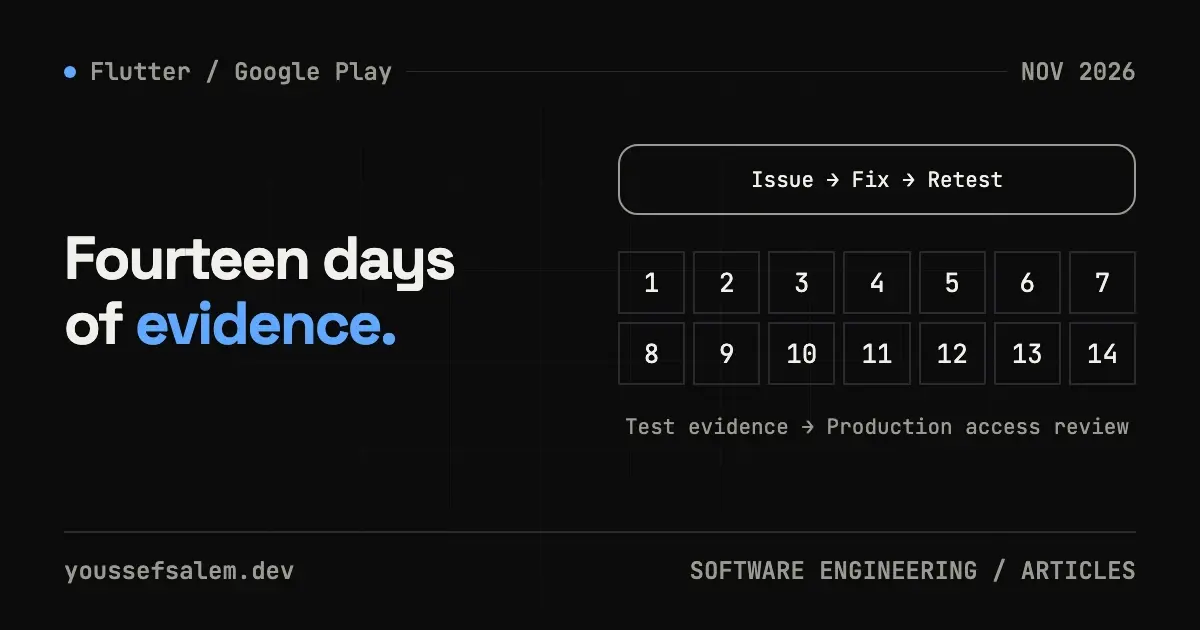
Publishing a Flutter app on Google Play is no longer just a matter of building an AAB and uploading it. If you use a personal Play Console account created after November 13, 2023, Google requires a closed test before you can request production access: at least 12 testers must remain opted in continuously for 14 days.
That requirement applies to a specific account category, but it exposes a useful product lesson for every team. A closed test should not be treated as a countdown. It is a controlled opportunity to prove that a product can survive real use. This guide turns those 14 days into a repeatable Flutter release cycle.
Read the rule before planning around it
Google's official Play Console help page says the requirement applies to personal developer accounts created after November 13, 2023. When you apply for production access, at least 12 testers must be opted in and must have stayed opted in throughout the preceding 14 days. If someone opts out and later returns, their continuous period starts again.
Three distinctions matter:
- It is not a blanket rule for every account. Check the account type and creation date shown in Play Console instead of copying another developer's workflow.
- Invited is not opted in. Adding an email to a list does not count by itself; the tester must open the testing link and join.
- Fourteen days do not trigger automatic publication. Once eligible, you apply for production access and answer questions about the test, the product and its readiness. Google then reviews the request.
Play Console lets you reuse an email list across future apps, but each app still has its own artifact, track, evidence and production-readiness decision. Treat each product launch as a separate release project.
Build a testable release before day one
Start the closed test when the critical workflow works—not when half the screens are placeholders. Flutter's Android deployment guide notes that the applicationId becomes permanent after uploading to Play and that Android App Bundle is the preferred format.
Use a basic release gate such as:
bashflutter clean
flutter pub get
flutter analyze
flutter test
flutter build appbundle --release
Those commands are not proof of quality. They only prevent avoidable failures. Install and exercise a release build on physical devices because signing, minification, permissions, notifications and deep links can behave differently from a debug build.
Before uploading:
- Confirm the final applicationId, signing configuration and secure storage for the upload key.
- Check version and versionCode in pubspec.yaml; increase the build number for every uploaded artifact.
- Meet the current target API requirement. From August 31, 2026, new apps and updates generally need to target Android 16 / API 36 or higher, with separate exceptions for some device categories.
- Complete data-safety, content-rating, privacy-policy and permission declarations.
- If authentication is required, provide valid review credentials that do not belong to a real employee.
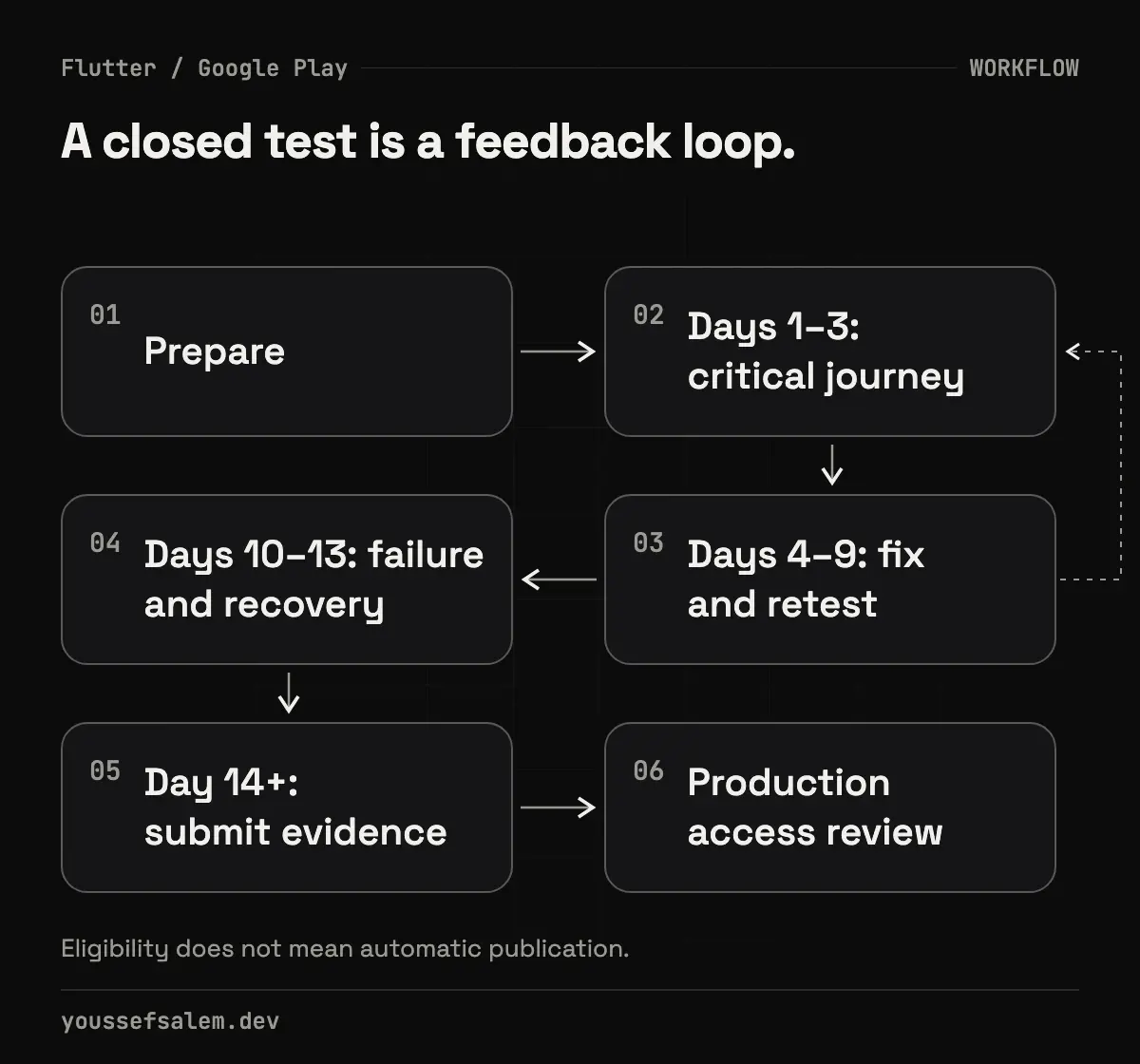
A useful 14-day operating plan
Day zero: prepare the cohort and feedback channel
Closed testers can be managed with email lists or Google Groups. A group is convenient when membership changes, but every tester still needs to opt in through the shared link. Give people a short brief covering installation, assigned scenarios, the support channel and information they must never share.
Segment testers by behavior, not only hardware: new user, returning user, poor network, Arabic and RTL, small screen, and an older supported Android version. For a Riyadh-focused product, Arabic copy, numerals, dates, addresses and local user expectations deserve deliberate testing; merely flipping layout direction is not enough.
Days 1–3: validate the critical journey
Test the workflow that creates product value. For a booking app, that might be sign-up, service discovery, time selection, payment or confirmation, and cancellation. Every issue should capture:
- build number, device and Android version;
- reproducible steps;
- expected and actual behavior;
- a privacy-safe screenshot or log;
- business impact, not only subjective severity.
Days 4–9: fix, ship and verify
Do not wait for the period to end. Upload a new build to the same testing track, publish concise release notes, and ask the reporter to verify the fix. Test an update over the previous build rather than reinstalling every time; real users will keep local state when they update.
A clear Flutter architecture helps here. Keep domain rules separate from UI and data sources, and make BLoC states observable. However, avoid turning the test into an architecture rewrite. Fix user-impacting defects first and defer unrelated cleanup until the release is stable.
Days 10–13: exercise failure and recovery
Move beyond happy paths: lose connectivity during submission, tap twice, deny permissions, expire a session, resume from the background, and upgrade with cached data. Watch crashes and performance, but remember that a crash-free build can still be confusing or inaccessible.
Day 14 and beyond: assemble readiness evidence
Do not reconstruct the production-access application from memory. Prepare a concise report covering:
- who the testers were in general terms and how they were recruited;
- which features they exercised and how that resembles expected production use;
- the most important feedback and how it was collected;
- changes made because of the test;
- remaining risks and how they will be monitored.
Google's application asks about tester engagement, feedback, the app's value and changes made from what you learned. One maintained release report is stronger than scattered chat messages.
Firebase App Distribution and Play closed testing are different tracks
Firebase App Distribution can speed up pre-release delivery, tester management and feedback, and it can pair builds with Crashlytics stability signals. It does not replace the Play closed-test requirement for accounts to which that requirement applies.
A practical interpretation is to use Firebase for fast internal iteration and Play's closed track for the store artifact, installation path and near-production behavior. Using both can make the mandatory period more productive because obvious defects are removed before the Play test begins.
Mistakes that waste the testing window
- Recruiting 12 names at the last minute without meaningful use.
- Changing the package, backend environment or release configuration without recording the impact.
- Tracking only cohort size instead of completed scenarios and resolved defects.
- Asking “Is the app good?” instead of assigning tasks and asking actionable questions.
- Sharing service secrets or personal data inside the app or feedback channel.
- Claiming that meeting the minimum guarantees approval. It does not.
Final takeaway
The 12-testers-for-14-days rule is a minimum for a defined group of newer personal accounts. It is not a substitute for release engineering. A stronger outcome is a repeatable system: signed artifact, release checklist, real tester cohort, evidence log, incremental builds and an honest readiness decision.
If you are launching a Flutter product in Saudi Arabia and need an architecture review, Android release setup, or a measurable testing plan, explore mobile app development services. Useful content can improve relevance for searchers, but it cannot guarantee indexing or rankings; measure post-publication performance in Search Console and address technical SEO separately.
Sources
- Google Play Console Help, “App testing requirements for new personal developer accounts,” verified October 23, 2026:
- Google Play Console Help, “Set up an open, closed, or internal test,” verified October 23, 2026:
- Android Developers, “Meet Google Play's target API level requirement,” verified October 23, 2026:
- Flutter, “Build and release an Android app,” updated September 10, 2026:
- Firebase, “App Distribution,” verified October 23, 2026:
More articles
- Flutter 3.47.8 Security Update: Why Updating the SDK Is Not EnoughUnderstand the Flutter 3.47.8 and Dart 3.13.7 TLS fix, affected platforms, and why Android, Windows, and Linux apps must be rebuilt and shipped again.
- An Urgent Firebase Security Update in Flutter: Fix the Risk Without Breaking the AppA practical workflow for Firebase security updates in Flutter: prove exposure, inspect lockfiles, test native paths, and stage a safe release.
- Malicious Claude Code Extension in Cursor: How to Protect Your Development EnvironmentLearn what happened with Anthropic.claude-code 2.1.312 and 2.1.313 in Cursor’s marketplace, how to contain an affected host, and how to secure AI coding tools.