Flutter or native: which is right for your app?

By Youssef Salem HassanLead Software Engineer · LinkedIn
For most business apps, Flutter is the better choice: one codebase for Android and iOS, lower cost, faster updates and solid Arabic support. Native still wins for a few cases, such as heavy 3D or AR, deep hardware access, or an existing native team.
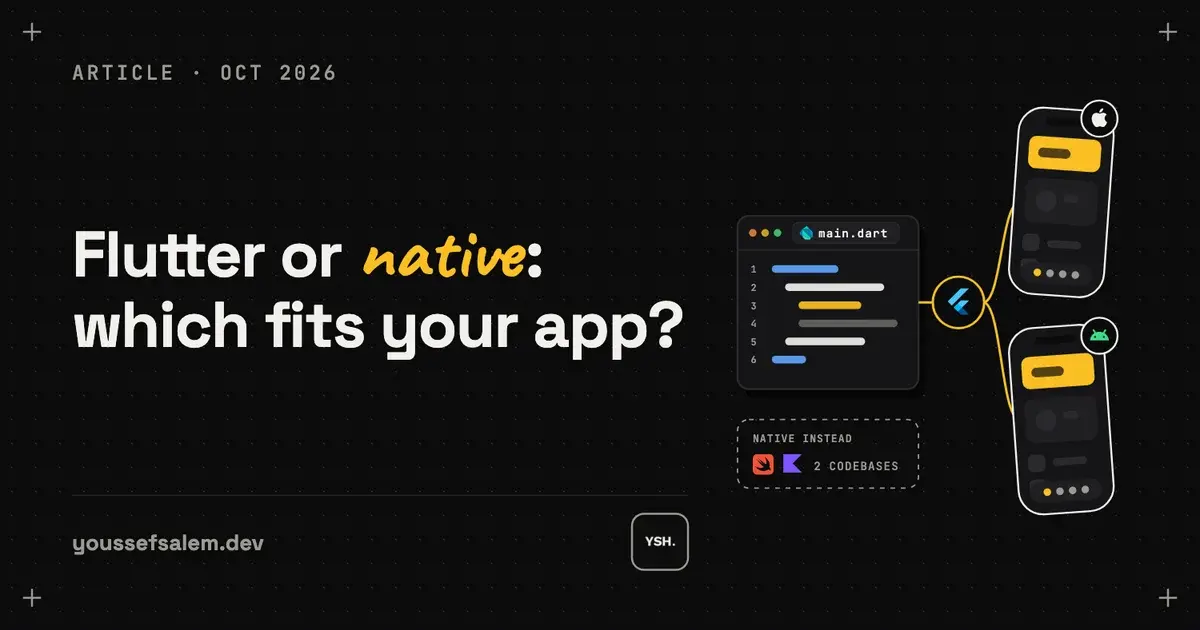
Flutter vs native: the short answer
Native means two separate apps: one in Swift for iPhone and one in Kotlin for Android. Flutter is Google’s framework that builds both from one codebase. For most company apps, marketplaces and booking apps in Saudi Arabia, Flutter gives the same result for noticeably less time and money.
When Flutter is the better choice
You need both Android and iOS. Your budget or timeline is tight. The app is mostly forms, lists, maps, bookings, payments and dashboards. You want Arabic and English with proper right-to-left layouts. And you want one person or a small team to maintain it.
Tech 92, the workforce app I built for Technology 92, is Flutter. It went live on both stores in 10 weeks and shipped 13 updates in its first 4 months, with every update reaching Android and iPhone users at the same time.
When native is worth the extra cost
Heavy 3D, games or augmented reality. Deep hardware work such as custom Bluetooth devices or background audio processing. Features that depend on the newest iOS or Android capabilities the day they ship. Or an existing native team and codebase you want to keep.
What users notice, and what they don’t
Flutter compiles to native machine code and draws its own interface, so scrolling, animations and screen changes feel like any other app on the phone. For forms, lists, maps, chat and payments, users cannot tell a Flutter app from a native one. What they do notice is whether the app is fast to open, clear to use and updated often, and those depend on the team, not the framework.
The gap shows up only at the edges: very heavy graphics, a brand-new iOS feature on the day Apple releases it, or a device that needs custom low-level code. Flutter can still call native code for those parts, so even then you rarely need two full apps.
Arabic and right-to-left layouts
Flutter flips the whole layout for Arabic from one setting: menus, icons, back arrows and text alignment. Both languages live in the same codebase, so a new screen is ready in Arabic and English at the same time. With two native apps, right-to-left has to be built and tested twice, once per platform.
Tech 92 runs in Arabic and English with the same screens and the same release on both stores. For apps used by staff and customers in Saudi Arabia, that alone removes a lot of work.
Cost and time difference
Two native apps mean building and testing every feature twice. With Flutter you build it once, so the first version is ready sooner and every later change costs less. That is why I build business apps in Flutter, with a Laravel API behind them.
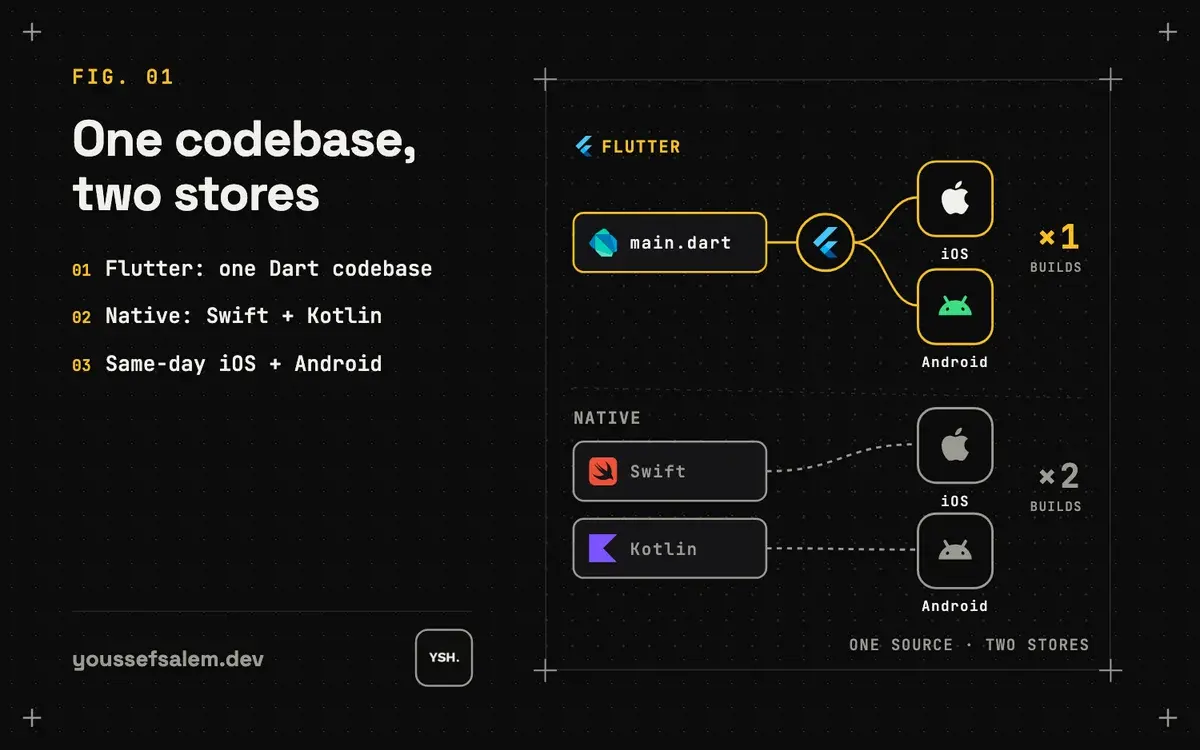
Flutter vs native at a glance
The table sums up what changes for a typical business app: a booking, delivery, marketplace or staff app with a backend and a dashboard.
| Flutter | Native (Swift + Kotlin) | |
|---|---|---|
| Codebases | One for Android and iOS | Two, one per platform |
| Each new feature | Built and tested once | Built and tested twice |
| Store releases | Same version on both, same day | Two releases that can drift apart |
| Arabic and RTL | One setting for both platforms | Built separately on each |
| Who can maintain it | One Flutter developer | iOS and Android skills |
| Best for | Most business apps | Heavy 3D, AR, deep hardware |
Updates and maintenance after launch
Most of an app’s cost comes after the first release: fixes, new features, and the yearly changes Apple and Google require to stay in the stores. With one codebase, each of those is done once. With two native apps, every fix is two fixes, and the iPhone and Android versions slowly stop matching.
Tech 92 shipped 13 updates in its first 4 months. Each one was a single build that went to both stores, which is what made that pace possible.
Who will maintain the app?
A native app needs someone who knows Swift and someone who knows Kotlin, or one rare developer who knows both. A Flutter app needs one Flutter developer, and Flutter is one of the most widely used cross-platform frameworks, so finding help later is not hard. Whoever builds it, make sure the source code, the store accounts and the servers are in your name so you can change developers at any time.
Questions to ask before you decide
Do you need both Android and iOS at launch? Does any feature depend on heavy 3D, augmented reality or a special device? Do you already have a native team or codebase? How many updates do you expect in the first year? And who will maintain the app once it is live?
If the answers are "both platforms", "no", "no", "many" and "a small team", Flutter is the safer choice. If special hardware or heavy graphics is the core of the product, native deserves a serious look.
Not sure which fits your app?
Send me what the app should do. If native is the better fit, I will tell you on the free call rather than sell you Flutter.
Read the case study: Tech 92 — Workforce Attendance & KPI App →
More articles
- How I made an app promo video with code using RemotionHow I made the 68-second release video for the Tech 92 app with code instead of a video editor: real app screens from the iOS Simulator, animated UI in Remotion, an ElevenLabs voiceover timed word by word with Whisper, and one codebase that exports versions for LinkedIn and the App Store.
- Remote AI coding agents for Flutter: a workflow you can reviewA reviewable workflow for following coding agents from your phone while keeping Flutter changes scoped, tested, and understandable: one observable outcome per task, clear architecture boundaries, test evidence, and a small diff.
- Receiving your app’s source code: a checklist for clientsWhen a developer hands over your app, make sure you get the code repository, the store and server accounts, the keys, a way to build the app yourself, and a short guide. Without these, you depend on one person to change your own app.