Remote AI coding agents for Flutter: a workflow you can review

By Youssef Salem HassanLead Software Engineer · LinkedIn
A reviewable workflow for following coding agents from your phone while keeping Flutter changes scoped, tested, and understandable: one observable outcome per task, clear architecture boundaries, test evidence, and a small diff.
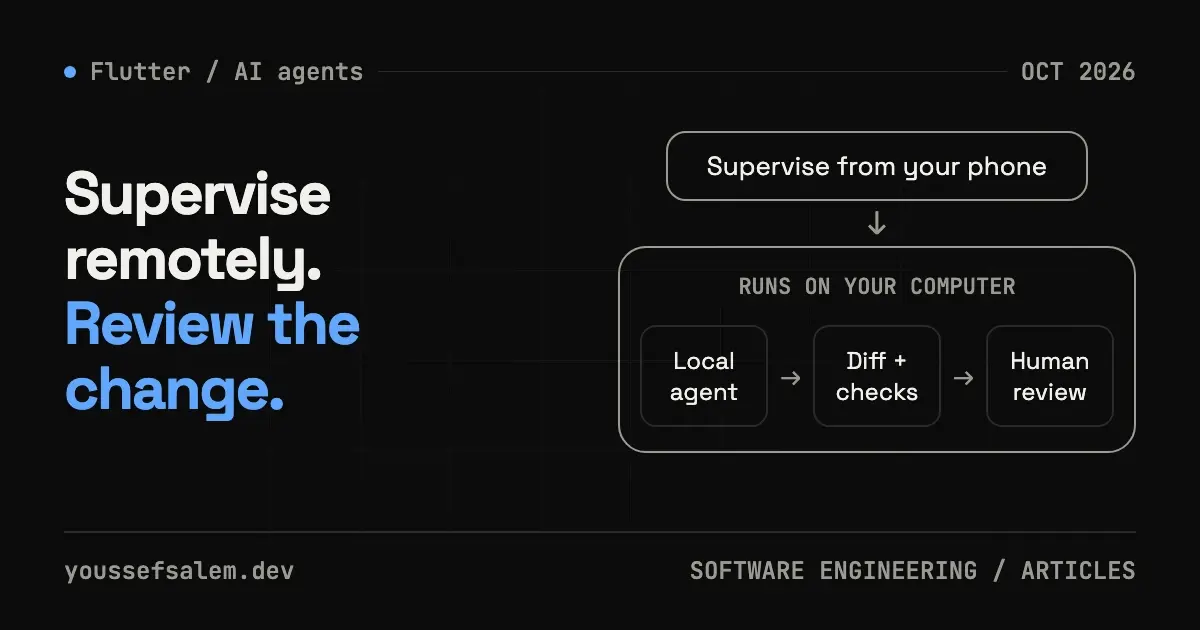
Following an agent from your phone
Following a coding task from your phone can be useful when you are away from your desk. The harder question is how to keep that task understandable when an agent can modify several files before you return. For Flutter projects, a practical answer is to define a small outcome, agree on boundaries, and request evidence that you can review before merging.
On October 6, 2026, Cursor announced support for viewing and replying to local agents from its iOS app (Cursor changelog: “Remote control for local agents”). Execution remains on your computer, which must stay powered on and connected. Remote control does not automatically turn a local session into a cloud agent.
The workflow below is an engineering proposal, not an additional Cursor feature or a report of measured personal results. You can adapt it to another agent tool, accounting for its permissions and execution environment.
Give the agent a result you can evaluate
“Improve the whole app” leaves success undefined. Instead, describe a single failure and the behavior you expect. Consider a maintenance-orders screen that stays in a loading state after the network request fails. The task is to display a useful message and retry action, retaining previously loaded orders if that matches the product’s requirements.
Include the affected screen, current behavior, expected behavior, and constraints such as Arabic and English support. Ask the agent to inspect the current flow and propose a scope before editing. A short plan is easier to assess on a phone than a large unexplained diff.
Keep package upgrades and broad refactoring outside this task unless they are necessary. Combining unrelated changes makes it harder to identify the cause of a regression. Let the agent list additional improvements separately, so each can receive its own decision and validation.
Explain the architecture that already exists
For a project with separate presentation, domain, and data layers, identify the likely path of the change. A network failure might be mapped by the data source, returned through the repository, represented in a Cubit state, and displayed by the widget. That does not mean every fix needs edits in every layer. A message-copy issue may belong entirely in localization and presentation.
Give the agent current file names and a nearby example of the pattern you want it to follow. Repository conventions are more actionable than a generic architecture description. Request an explanation whenever it changes an interface or introduces a dependency, because either can affect more than the visible screen.
A task brief might look like this: “Problem: the orders screen remains loading after a network failure. Inspect the existing flow and propose the minimum file scope. Follow the project’s current Cubit and repository conventions. Do not change the API contract or upgrade packages in this task. Add meaningful coverage for failure and retry behavior. Report the diff, validation results, and anything not tested. Pause when a decision would change product behavior.”
The brief establishes a goal and reviewable outputs. It does not replace code review or prove that the implementation is correct.
Use mobile supervision for decisions
A phone works well for reading progress, answering a focused question, or adjusting a plan. A substantial authentication, payment, or build-system change deserves a review environment where you can read the complete diff and run the product.
Request updates that distinguish completed work, remaining work, and blockers. If the agent discovers that an app fix needs a new backend endpoint, turn that into an explicit decision. Define the data contract and compatibility with existing app versions instead of allowing the original task to expand quietly.
Agree on a stopping point. Once the scoped change and checks are complete, the agent should present its results for the review required by your project. This is a suggested working agreement; the actual permissions come from the tool configuration and team policies.
Ask for evidence tied to the failure
Flutter’s testing documentation distinguishes unit, widget, and integration tests. Pick coverage that checks the behavior you are fixing rather than merely repeating the implementation.
For a network-failure issue, useful evidence could include the state emitted after failure and the retry control displayed on screen. An important complete user journey may also justify integration coverage. A passing state test alone does not establish that Arabic text fits correctly on the rendered screen.
Initial checks can include flutter analyze and flutter test, both documented in the Flutter CLI reference. Add the build and validation procedures your repository already uses. An agent should not report Android or iOS validation when the required environment was unavailable.
Request command results, exit status, and the scope of tests executed. When a check fails, ask whether the failure appears related to the change, a pre-existing problem, or an unavailable dependency. “Everything works” is too vague to support a merge decision.
Review the product experience
A bilingual application needs checks in both text directions. Inspect message length, icon direction, retry-button placement, and repeated taps. Try interrupted connectivity and backgrounding where they matter to the specific scenario.
Express acceptance in language a client can understand: “If fetching orders fails, the user sees a clear message and can retry without losing the previously displayed list.” That is easier to evaluate than “improve UX,” and it gives the engineer and business owner a shared definition of completion.
If you have not performed a device or visual check, keep it in the remaining-review list. A transparent validation limit is more useful than a summary implying that every platform and condition has been tested.
Keep the diff small and recovery understandable
Use a separate branch for the task and compare it with the intended base. Look for unrelated files, removed tests, or unexplained lockfile changes. A dependency update may be justified, but its reason and impact should be visible.
Ask for a summary connecting each file group to the behavior it changes. Preserve previous configuration values when modifying settings, so restoring them does not depend on memory. When both Flutter and backend code change, review request and response compatibility before merging the dependent work.
This approach aims to reduce ambiguity during remote supervision. It does not promise a productivity multiplier. Its potential benefit is a series of changes that remain understandable, rather than a growing batch of edits you cannot confidently assess.
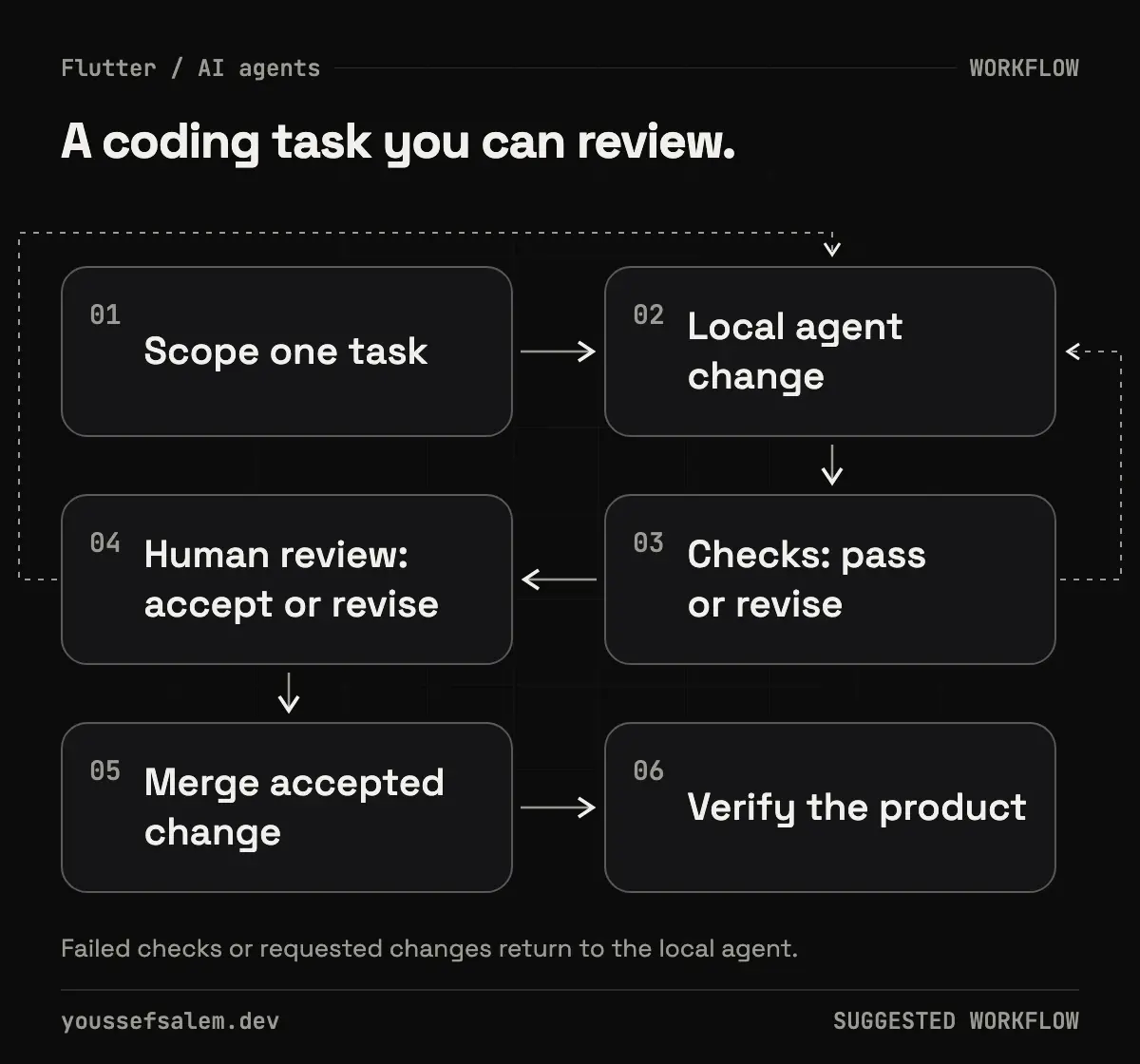
Choose supervision based on impact
Start with bounded work: a presentation-state fix, a test for an established flow, or documentation for a known module. Changes to authorization, payments, or data migration warrant closer review. Let business impact and reversibility determine how much autonomy a task receives.
Begin with one observable outcome. Use remote supervision when it helps, and make the final decision from the diff, validation evidence, and product behavior.
Read the case study: Tech 92 — Workforce Attendance & KPI App →
More articles
- How I made an app promo video with code using RemotionHow I made the 68-second release video for the Tech 92 app with code instead of a video editor: real app screens from the iOS Simulator, animated UI in Remotion, an ElevenLabs voiceover timed word by word with Whisper, and one codebase that exports versions for LinkedIn and the App Store.
- Receiving your app’s source code: a checklist for clientsWhen a developer hands over your app, make sure you get the code repository, the store and server accounts, the keys, a way to build the app yourself, and a short guide. Without these, you depend on one person to change your own app.
- Flutter or native: which is right for your app?For most business apps, Flutter is the better choice: one codebase for Android and iOS, lower cost, faster updates and solid Arabic support. Native still wins for a few cases, such as heavy 3D or AR, deep hardware access, or an existing native team.